RECURRENT DONATION
Donate monthly to support
the NeculaiFantanaru.com project
         
|

 为什么要读这本书? 因为它对优化您的表现至关重要。 因为它揭示了之后的主要坐标是建立领导者的性格和技能,突出了他们增加影响力的重要性。 为什么要读这本书? 因为它对优化您的表现至关重要。 因为它揭示了之后的主要坐标是建立领导者的性格和技能,突出了他们增加影响力的重要性。
 与同领域市场上的其他书籍相比,本书的本质特征是它通过实例描述了领导者的理想能力。 我从未声称成为一名优秀的领导者很容易,但如果人们愿意... 与同领域市场上的其他书籍相比,本书的本质特征是它通过实例描述了领导者的理想能力。 我从未声称成为一名优秀的领导者很容易,但如果人们愿意...
 对于一些领导者来说,“领导”更像是一盘棋,一种聪明伶俐的游戏; 对于其他人来说,这意味着一场机会游戏,一场他们认为每次都可以在一张牌上冒险和下注的游戏。 对于一些领导者来说,“领导”更像是一盘棋,一种聪明伶俐的游戏; 对于其他人来说,这意味着一场机会游戏,一场他们认为每次都可以在一张牌上冒险和下注的游戏。
 我写的这本书以一种简单的方式将个人发展与领导力结合起来,就像一个谜题,你必须匹配所有给定的部分才能重新构成总体形象。 我写的这本书以一种简单的方式将个人发展与领导力结合起来,就像一个谜题,你必须匹配所有给定的部分才能重新构成总体形象。
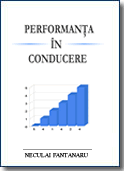 本书的目的是通过具体的例子为您提供信息,并向您展示如何获得使他人以与您相同的角度看待事物的能力。 本书的目的是通过具体的例子为您提供信息,并向您展示如何获得使他人以与您相同的角度看待事物的能力。
 这本书并不认为它是一种和谐,而是代表了一个普通人——作者——的尝试,他通过简单的文字、事实和常见的例子向普通人灌输了勇气和乐观,让他自己寻求成为自己的主人,谁知道呢。 ..甚至可能是领导者。 这本书并不认为它是一种和谐,而是代表了一个普通人——作者——的尝试,他通过简单的文字、事实和常见的例子向普通人灌输了勇气和乐观,让他自己寻求成为自己的主人,谁知道呢。 ..甚至可能是领导者。
您可以在此处查看完整代码:HTTPS://帕萨特斌.com/VK2Z V3FJ
安装Python。 然后使用Windows10中的命令提示符(CMD)解释器安装以下两个库:
py- m pip install openpyx代码:在任何翻译程序中复制并运行下面的代码(我在用Pycripter) . import openpyxl #open the bookstore I want to work with
wb_AAA = openpyxl.load_workbook("AAA.xlsx") #open the file in which I import the data
ws_1 = wb_AAA['Date_angajati'] #define the sheet I work with
wb_UI = openpyxl.load_workbook("ttestui.xlsx") #open the file from which I import the data
ws_2 = wb_UI['UI']
sh_obj = wb_UI.active
max_row = sh_obj.max_row
# loop will print all values
# of column1, 2, 4, etc
code2name = {}
for i in range(2, max_row+1):
cell_obj = sh_obj.cell(row=i, column = 4)
# print(cell_obj.value) displays the data in column 4 wb testUI
code2name[sh_obj.cell(row=i, column=1).value]=(sh_obj.cell(row=i, column=4).value, sh_obj.cell(row=i, column=5).value) #associate the search value (vlookup excel) with the definitions in the testUI
print(code2name)
for i in range (2, ws_1.max_row):
print(i)
"""
associate the columns where I import data with the value by which I search for them (vlookup)
get is the equivalent of "iferror"
('','') ...if iferror('value', ''), displays error, in the sense that it searches for the first character out of nothing
[0][1] refers to line 19, the values after =
"""
ws_1.cell(row=i, column=7).value = code2name.get(ws_1.cell(row=i, column=6).value, ('',''))[0]
ws_1.cell(row=i, column=10).value = code2name.get(ws_1.cell(row=i, column=6).value, ('',''))[1]
wb_AAA.save('BBB.xlsx')
上述Python代码是Excel中的“Vlookup”公式。 也就是说,更容易使用此公式来导入没有Python的数据。 =vlookup(a;table;x;false)
where: a: the value you are looking for
table: the place where you look for a..usually a table
x: the column containing the value you want to return to you
false: set when looking for an absolute value, not a relative one

See the image below:

I search for a code (adik UI), in table x (which I usually keep in another sheet, or workbook), and it brings me the values from columns G and J
vlookup is a left function .... so if the table has the corresponding column on 5 (adik UI), select the table starting with column 5

This is the table from which to retrieve data with vlookup
That's all folks. If you like my code, then make me a favor: SHARE IT. 其他Python代码: BeautifulSoup 要么 Google Translate API Key 要么版本3.要么版本4.要么版本5. Latest articles accessed by readers:
Donate via Paypal
RECURRENT DONATIONDonate monthly to support SINGLE DONATIONDonate the desired amount to support Donate by Bank TransferAccount Ron: RO34INGB0000999900448439
Open account at ING Bank
|
||||||||||||
 |
||||||||||||