
Neculai Fantanaru
Everything Depends On The Leader
Everything Depends On The Leader
Полный код можно просмотреть здесь: https://pastebin.com/VK2ZV3fJ

Установите Python. Затем установите следующие две библиотеки с помощью интерпретатора командной строки (cmd) в Windows10:
import openpyxl #open the bookstore I want to work with
wb_AAA = openpyxl.load_workbook("AAA.xlsx") #open the file in which I import the data
ws_1 = wb_AAA['Date_angajati'] #define the sheet I work with
wb_UI = openpyxl.load_workbook("ttestui.xlsx") #open the file from which I import the data
ws_2 = wb_UI['UI']
sh_obj = wb_UI.active
max_row = sh_obj.max_row
# loop will print all values
# of column1, 2, 4, etc
code2name = {}
for i in range(2, max_row+1):
   cell_obj = sh_obj.cell(row=i, column = 4)
   # print(cell_obj.value)  displays the data in column 4 wb testUI
   code2name[sh_obj.cell(row=i, column=1).value]=(sh_obj.cell(row=i, column=4).value, sh_obj.cell(row=i, column=5).value) #associate the search value (vlookup excel) with the definitions in the testUI
print(code2name)
for i in range (2, ws_1.max_row):
   print(i)
   """
    associate the columns where I import data with the value by which I search for them (vlookup)
    get is the equivalent of "iferror"
    ('','') ...if iferror('value', ''), displays error, in the sense that it searches for the first character out of nothing
    [0][1] refers to line 19, the values after =
    """
   ws_1.cell(row=i, column=7).value = code2name.get(ws_1.cell(row=i, column=6).value, ('',''))[0]
   ws_1.cell(row=i, column=10).value = code2name.get(ws_1.cell(row=i, column=6).value, ('',''))[1]
wb_AAA.save('BBB.xlsx')
Приведенный выше код Python является эквивалентом программы "Vlookup" формула в Excel. То есть эту формулу проще использовать для импорта данных без Python.
=vlookup(a;table;x;false)
where: a: the value you are looking for
table: the place where you look for a..usually a table
x: the column containing the value you want to return to you
false: set when looking for an absolute value, not a relative one
See the image below:
I search for a code (adik UI), in table x (which I usually keep in another sheet, or workbook), and it brings me the values from columns G and J
vlookup is a left function .... so if the table has the corresponding column on 5 (adik UI), select the table starting with column 5
This is the table from which to retrieve data with vlookup
That's all folks.
If you like my code, then make me a favor: translate your website into Romanian, "ro".
Также ознакомьтесь с этой ВЕРСИЕЙ 2 или ВЕРСИЯ 3 или ВЕРСИЯ 4 или ВЕРСИЯ 5 или ВЕРСИЯ 6 или ВЕРСИЯ 7

Зачем читать эту книгу? Потому что это имеет решающее значение для оптимизации вашей производительности. Потому что раскрывает основные координаты, после чего строят характер и навыки лидеров, подчеркивая, что им важно для повышения своего влияния.

Существенной характеристикой этой книги по сравнению с другими книгами, представленными на рынке в той же области, является то, что она описывает на примерах идеальные компетенции лидера. Я никогда не утверждал, что стать хорошим лидером легко, но если люди будут...

Для некоторых лидеров «руководство» больше напоминает шахматную игру, игру ума и проницательности; для других это означает азартную игру, игру, которую, как они думают, они могут выиграть каждый раз, рискуя и ставя все на одну карту.

Я написал эту книгу, которая простым способом соединяет личностное развитие с лидерством, как пазл, где нужно соединять все данные кусочки, чтобы составить общий образ.
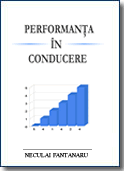
Цель этой книги — предоставить вам информацию на конкретных примерах и показать, как обрести способность заставить других смотреть на вещи под той же точкой зрения, что и вы.

Не считая это согласием, книга представляет собой попытку обычного человека - автора - который простыми словами, фактами и обычными примерами вселяет в обычного человека смелость и оптимизм в его собственном стремлении быть хозяином самому себе и кто знает. ..может даже лидер.
