RECURRENT DONATION
Donate monthly to support
the NeculaiFantanaru.com project
         
|

 यह पुस्तक क्यों पढ़ें? क्योंकि यह आपके प्रदर्शन को अनुकूलित करने के लिए महत्वपूर्ण है। क्योंकि इससे पता चलता है कि उसके बाद मुख्य निर्देशांक नेताओं के चरित्र और कौशल का निर्माण कर रहे हैं, इस पर प्रकाश डालते हुए कि उनके लिए अपना प्रभाव बढ़ाना क्या महत्वपूर्ण है। यह पुस्तक क्यों पढ़ें? क्योंकि यह आपके प्रदर्शन को अनुकूलित करने के लिए महत्वपूर्ण है। क्योंकि इससे पता चलता है कि उसके बाद मुख्य निर्देशांक नेताओं के चरित्र और कौशल का निर्माण कर रहे हैं, इस पर प्रकाश डालते हुए कि उनके लिए अपना प्रभाव बढ़ाना क्या महत्वपूर्ण है।
 एक ही डोमेन में बाजार पर अन्य की तुलना में इस पुस्तक की आवश्यक विशेषता यह है कि यह उदाहरणों के माध्यम से एक नेता की आदर्श क्षमता का वर्णन करती है। मैंने कभी यह दावा नहीं किया कि एक अच्छा नेता बनना आसान है, लेकिन अगर लोग करेंगे तो... एक ही डोमेन में बाजार पर अन्य की तुलना में इस पुस्तक की आवश्यक विशेषता यह है कि यह उदाहरणों के माध्यम से एक नेता की आदर्श क्षमता का वर्णन करती है। मैंने कभी यह दावा नहीं किया कि एक अच्छा नेता बनना आसान है, लेकिन अगर लोग करेंगे तो...
 कुछ नेताओं के लिए, "अग्रणी" एक शतरंज के खेल से अधिक मिलता-जुलता है, जो चतुराई और चतुराई का खेल है; दूसरों के लिए इसका मतलब है मौका का खेल, एक ऐसा खेल जो उन्हें लगता है कि वे हर बार एक ही कार्ड पर सब कुछ दांव पर लगाकर जीत सकते हैं। कुछ नेताओं के लिए, "अग्रणी" एक शतरंज के खेल से अधिक मिलता-जुलता है, जो चतुराई और चतुराई का खेल है; दूसरों के लिए इसका मतलब है मौका का खेल, एक ऐसा खेल जो उन्हें लगता है कि वे हर बार एक ही कार्ड पर सब कुछ दांव पर लगाकर जीत सकते हैं।
 मैंने यह पुस्तक लिखी है जो एक सरल तरीके से व्यक्तिगत विकास को नेतृत्व के साथ जोड़ती है, बिल्कुल एक पहेली की तरह, जहाँ आपको सामान्य छवि को फिर से बनाने के लिए दिए गए सभी टुकड़ों का मिलान करना होता है। मैंने यह पुस्तक लिखी है जो एक सरल तरीके से व्यक्तिगत विकास को नेतृत्व के साथ जोड़ती है, बिल्कुल एक पहेली की तरह, जहाँ आपको सामान्य छवि को फिर से बनाने के लिए दिए गए सभी टुकड़ों का मिलान करना होता है।
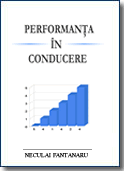 इस पुस्तक का उद्देश्य आपको ठोस उदाहरणों के माध्यम से जानकारी प्रदान करना है और आपको यह दिखाना है कि दूसरों को चीजों को आपके समान कोण से देखने की क्षमता कैसे प्राप्त करें। इस पुस्तक का उद्देश्य आपको ठोस उदाहरणों के माध्यम से जानकारी प्रदान करना है और आपको यह दिखाना है कि दूसरों को चीजों को आपके समान कोण से देखने की क्षमता कैसे प्राप्त करें।
 इसे एक सहमति के बिना, पुस्तक एक सामान्य व्यक्ति की कोशिश का प्रतिनिधित्व कर रही है - लेखक - जो सरल शब्दों, तथ्यों और सामान्य उदाहरणों के माध्यम से सामान्य व्यक्ति को अपना स्वामी बनने की अपनी खोज में साहस और आशावाद पैदा करता है और कौन जानता है। .. शायद एक नेता भी। इसे एक सहमति के बिना, पुस्तक एक सामान्य व्यक्ति की कोशिश का प्रतिनिधित्व कर रही है - लेखक - जो सरल शब्दों, तथ्यों और सामान्य उदाहरणों के माध्यम से सामान्य व्यक्ति को अपना स्वामी बनने की अपनी खोज में साहस और आशावाद पैदा करता है और कौन जानता है। .. शायद एक नेता भी।
आप यहां पूरा कोड देख सकते हैं:Https: // passatin.com / 2wk5d6 और i इंस्टॉलपायथन। फिर Windows10 में कमांड प्रॉम्प्ट (सीएमडी) दुभाषिया का उपयोग करके निम्नलिखित दो पुस्तकालय स्थापित करें: I have multiple html files in सी: फ़ोल्डर 1. I have this structure that is repeated in each html files:. $item_id = abc; After running .py I will get: In file 1.html I will have $item_id = 1;
In file 2.html I will have $item_id = 2;
In file 3.html I will have $item_id = 3;
...
In file 2300.html I will have $item_id = 2300;
कोड: किसी भी दुभाषिया कार्यक्रम में नीचे दिए गए कोड को कॉपी और चलाएं(मैं उपयोग करता हूंPyscrcs।"में पथ को बदलने के लिए मत भूलनाincrementing_fisiere_html" रेखा। import os import re def read_text_from_file(file_path): """ Aceasta functie returneaza continutul unui fisier. file_path: calea catre fisierul din care vrei sa citesti """ with open(file_path, encoding='utf8') as f: text = f.read() return text def write_to_file(text, file_path): """ Aceasta functie scrie un text intr-un fisier. text: textul pe care vrei sa il scrii file_path: calea catre fisierul in care vrei sa scrii """ with open(file_path, 'wb') as f: f.write(text.encode('utf8', 'ignore')) def incrementare_fisiere_html(cale_folder_html): """ Functia itereaza printr-un folder care contine fisiere html si adauga index-ul corespunzator in fiecare fisier """ count = 0 current_id = 1 for f in os.listdir(cale_folder_html): if f.endswith('.html'): cale_fisier_html = cale_folder_html + "\\" + f html_text = read_text_from_file(cale_fisier_html) item_id_pattern = re.compile('\$item_id = (.*?);') item_id = re.findall(item_id_pattern, html_text) if len(item_id) > 0: print("{} a fost modificat. ".format(f)) item_id = item_id[0] html_text = html_text.replace(item_id, str(current_id)) current_id += 1 count += 1 write_to_file(html_text, cale_fisier_html) else: # print("{} nu are $item_id.".format(f)) continue else: continue print("Numarul de fisiere modificate: ", count) if __name__ == '__main__': # sa pui calea catre folderul cu fisiere incrementare_fisiere_html('e:\\Folder1') That's all folks. If you like my code, then make me a favor: SHARE IT. अन्य अजगर कोड: BeautifulSoup या Google Translate API Key यासंस्करण 3यासंस्करण 4यासंस्करण 5 Latest articles accessed by readers:
Donate via Paypal
RECURRENT DONATIONDonate monthly to support SINGLE DONATIONDonate the desired amount to support Donate by Bank TransferAccount Ron: RO34INGB0000999900448439
Open account at ING Bank
|
||||||||||||
 |
||||||||||||