您可以在此处查看完整代码:HTTPS://帕萨特斌.com/X GN QJ QS7
将使用PowerShell代码修改的HTML页面的代码示例。 将上述文本复制到.html文件,将其保存到位置C:\ folder1
xmlns="http://www.w3.org/1999/xhtml" dir="ltr" lang="ro">
如何使用PowerShell和Regex创建批处理处理器来替换HTML标记(解析)| Neculai Fantanaru.
rel="canonical" href="https://MY-WEBSITE.COM" />
name="description" content="I LOVE HTML and CSS"/>
name="keywords" content="abordarea frontala a lucrurilor neelucidate"/>
name="abstract" content="My laptop works just fine"/>
name="Subject" content="I think I need a new car."/>
property="og:url" content="https://otherwebsite.com"/>
property="og:title" content="Nobody is here?" />
property="og:description" content="Dance is my passion."/>
下面的PowerShell代码将通过解析数据将HTML标记的内容复制到其他标记。 您只需要填写标签</span>四<span class="tabela_shop_donate_5"><meta name =“描述”...... /></span></p>
<!-- HTML generated using hilite.me -->
<div style="background: #ffffff; overflow:auto;width:auto;border:solid gray;border-width:.1em .1em .1em .4em;padding:.2em .6em;">
<pre style="margin: 0; line-height: 125%"><span style="color: #996633">$sourcedir</span> = <span style="background-color: #fff0f0">"C:\Folder1\"</span>
<span style="color: #996633">$resultsdir</span> = <span style="background-color: #fff0f0">"C:\Folder1\"</span>
<span style="color: #007020">Get-ChildItem</span> -Path <span style="color: #996633">$sourcedir</span> -Filter *.html | <span style="color: #008800; font-weight: bold">ForEach</span>-Object {
<span style="color: #996633">$content</span> = <span style="color: #007020">Get-Content</span> -Path <span style="color: #996633">$_</span>.FullName -Raw
<span style="color: #888888"># Copy the content of the tag <link rel="canonical" in the tag "OG:URL" and in the tag "@ID": #</span>
<span style="color: #996633">$replaceValue</span> = (<span style="color: #007020">Select-String</span> -InputObject <span style="color: #996633">$content</span> -Pattern <span style="background-color: #fff0f0">'(?<=<link rel="canonical" href=").*(")'</span>).Matches.Value
<span style="color: #996633">$content</span> = <span style="color: #996633">$content</span> <span style="color: #333333">-replace</span> <span style="background-color: #fff0f0">'(?<=<meta property="og:url" content=").*(")'</span>,<span style="color: #996633">$replaceValue</span>
<span style="color: #996633">$content</span> = <span style="color: #996633">$content</span> <span style="color: #333333">-replace</span> <span style="background-color: #fff0f0">'(?<="@id": ").*(")'</span>,<span style="color: #996633">$replaceValue</span>
<span style="color: #888888"># Copy the content of the tag <title> in the tags ABSTRACT, SUBJECT, OG:TITLE, HEADLINE, KEYWORDS #</span>
<span style="color: #996633">$replaceValue</span> = (<span style="color: #007020">Select-String</span> -InputObject <span style="color: #996633">$content</span> -Pattern <span style="background-color: #fff0f0">'(?<=<title>如何使用PowerShell和Regex创建批处理处理器来替换HTML标记(解析)| Neculai Fantanaru.)').Matches.Value
$content = $content -replace '(?<=,$replaceValue
$content = $content -replace '(?<=,$replaceValue
$content = $content -replace '(?<=,$replaceValue
$content = $content -replace '(?<=,$replaceValue
$content = $content -replace '(?<="headline": ").+(?=")',$replaceValue
$content = $content -replace '(?<="keywords": "如何使用PowerShell和Regex创建批处理处理器来替换HTML标记(解析)| Neculai Fantanaru.",
# Copy the content of the tag $replaceValue = (Select-String -InputObject $content -Pattern '(?<=).Matches.Value
$content = $content -replace '(?<=,$replaceValue
$content = $content -replace '(?<="description": "如何使用PowerShell和Regex创建批处理处理器来替换HTML标记(解析)| Neculai Fantanaru.",
Set-Content -Path $resultsdir\$($_.name) $content
}
可选的。 这是一个正则表达式表达式,它将在HTML页面中更改“关键字”标记,在每个单词后添加逗号。
使用Notepad ++ - > Ctr + F - >检查:正则表达式
SEARCH: (?s)<title>.*?<\/title>.*?<meta\x20name="keywords"\x20content="\K(\w+)|\G[^\w\r\n]+(\w+)
REPLACE BY:  ?1\l\1:,\x20\l\2
That's all folks.
If you like my code, please SHARE IT
您还可以查看代码版本Python


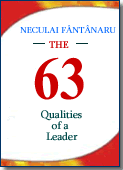 为什么要读这本书? 因为它对优化您的表现至关重要。 因为它揭示了之后的主要坐标是建立领导者的性格和技能,突出了他们增加影响力的重要性。
 与同领域市场上的其他书籍相比,本书的本质特征是它通过实例描述了领导者的理想能力。 我从未声称成为一名优秀的领导者很容易,但如果人们愿意...
  对于一些领导者来说,“领导”更像是一盘棋,一种聪明伶俐的游戏; 对于其他人来说,这意味着一场机会游戏,一场他们认为每次都可以在一张牌上冒险和下注的游戏。
 我写的这本书以一种简单的方式将个人发展与领导力结合起来,就像一个谜题,你必须匹配所有给定的部分才能重新构成总体形象。
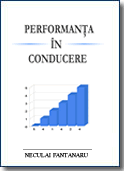 本书的目的是通过具体的例子为您提供信息,并向您展示如何获得使他人以与您相同的角度看待事物的能力。
 这本书并不认为它是一种和谐,而是代表了一个普通人——作者——的尝试,他通过简单的文字、事实和常见的例子向普通人灌输了勇气和乐观,让他自己寻求成为自己的主人,谁知道呢。 ..甚至可能是领导者。