RECURRENT DONATION
Donate monthly to support
the NeculaiFantanaru.com project
         
|

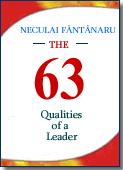 यह पुस्तक क्यों पढ़ें? क्योंकि यह आपके प्रदर्शन को अनुकूलित करने के लिए महत्वपूर्ण है। क्योंकि इससे पता चलता है कि उसके बाद मुख्य निर्देशांक नेताओं के चरित्र और कौशल का निर्माण कर रहे हैं, इस पर प्रकाश डालते हुए कि उनके लिए अपना प्रभाव बढ़ाना क्या महत्वपूर्ण है। यह पुस्तक क्यों पढ़ें? क्योंकि यह आपके प्रदर्शन को अनुकूलित करने के लिए महत्वपूर्ण है। क्योंकि इससे पता चलता है कि उसके बाद मुख्य निर्देशांक नेताओं के चरित्र और कौशल का निर्माण कर रहे हैं, इस पर प्रकाश डालते हुए कि उनके लिए अपना प्रभाव बढ़ाना क्या महत्वपूर्ण है।
 एक ही डोमेन में बाजार पर अन्य की तुलना में इस पुस्तक की आवश्यक विशेषता यह है कि यह उदाहरणों के माध्यम से एक नेता की आदर्श क्षमता का वर्णन करती है। मैंने कभी यह दावा नहीं किया कि एक अच्छा नेता बनना आसान है, लेकिन अगर लोग करेंगे तो... एक ही डोमेन में बाजार पर अन्य की तुलना में इस पुस्तक की आवश्यक विशेषता यह है कि यह उदाहरणों के माध्यम से एक नेता की आदर्श क्षमता का वर्णन करती है। मैंने कभी यह दावा नहीं किया कि एक अच्छा नेता बनना आसान है, लेकिन अगर लोग करेंगे तो...
 कुछ नेताओं के लिए, "अग्रणी" एक शतरंज के खेल से अधिक मिलता-जुलता है, जो चतुराई और चतुराई का खेल है; दूसरों के लिए इसका मतलब है मौका का खेल, एक ऐसा खेल जो उन्हें लगता है कि वे हर बार एक ही कार्ड पर सब कुछ दांव पर लगाकर जीत सकते हैं। कुछ नेताओं के लिए, "अग्रणी" एक शतरंज के खेल से अधिक मिलता-जुलता है, जो चतुराई और चतुराई का खेल है; दूसरों के लिए इसका मतलब है मौका का खेल, एक ऐसा खेल जो उन्हें लगता है कि वे हर बार एक ही कार्ड पर सब कुछ दांव पर लगाकर जीत सकते हैं।
 मैंने यह पुस्तक लिखी है जो एक सरल तरीके से व्यक्तिगत विकास को नेतृत्व के साथ जोड़ती है, बिल्कुल एक पहेली की तरह, जहाँ आपको सामान्य छवि को फिर से बनाने के लिए दिए गए सभी टुकड़ों का मिलान करना होता है। मैंने यह पुस्तक लिखी है जो एक सरल तरीके से व्यक्तिगत विकास को नेतृत्व के साथ जोड़ती है, बिल्कुल एक पहेली की तरह, जहाँ आपको सामान्य छवि को फिर से बनाने के लिए दिए गए सभी टुकड़ों का मिलान करना होता है।
 इस पुस्तक का उद्देश्य आपको ठोस उदाहरणों के माध्यम से जानकारी प्रदान करना है और आपको यह दिखाना है कि दूसरों को चीजों को आपके समान कोण से देखने की क्षमता कैसे प्राप्त करें। इस पुस्तक का उद्देश्य आपको ठोस उदाहरणों के माध्यम से जानकारी प्रदान करना है और आपको यह दिखाना है कि दूसरों को चीजों को आपके समान कोण से देखने की क्षमता कैसे प्राप्त करें।
 इसे एक सहमति के बिना, पुस्तक एक सामान्य व्यक्ति की कोशिश का प्रतिनिधित्व कर रही है - लेखक - जो सरल शब्दों, तथ्यों और सामान्य उदाहरणों के माध्यम से सामान्य व्यक्ति को अपना स्वामी बनने की अपनी खोज में साहस और आशावाद पैदा करता है और कौन जानता है। .. शायद एक नेता भी। इसे एक सहमति के बिना, पुस्तक एक सामान्य व्यक्ति की कोशिश का प्रतिनिधित्व कर रही है - लेखक - जो सरल शब्दों, तथ्यों और सामान्य उदाहरणों के माध्यम से सामान्य व्यक्ति को अपना स्वामी बनने की अपनी खोज में साहस और आशावाद पैदा करता है और कौन जानता है। .. शायद एक नेता भी।
आप यहां पूरा कोड देख सकते हैं:Https: // passatin.com / x gn qj qs7 HTML पृष्ठों का एक कोड उदाहरण जो पावरशेल कोड के साथ संशोधित किया जाएगा। उपरोक्त पाठ को .html फ़ाइल में कॉपी करें, इसे स्थान पर सहेजेंसी: \ फ़ोल्डर 1
नीचे पावरशेल कोड डेटा को पार्स करके HTML टैग की सामग्री को अन्य टैग में कॉपी करेगा। आपको केवल टैग भरने की जरूरत है<शीर्षक>चार<मेटा नाम = "विवरण" ... /> $sourcedir = "C:\Folder1\" $resultsdir = "C:\Folder1\" Get-ChildItem -Path $sourcedir -Filter *.html | ForEach-Object { $content = Get-Content -Path $_.FullName -Raw # Copy the content of the tag $replaceValue = (Select-String -InputObject $content -Pattern '(?<=).Matches.Value $content = $content -replace '(?<=,$replaceValue $content = $content -replace '(?<="@id": ").*(")',$replaceValue # Copy the content of the tag वैकल्पिक। यहां एक regex अभिव्यक्ति है जो HTML पृष्ठ में "कीवर्ड" टैग को बदल देगा, प्रत्येक शब्द के बाद अल्पविराम जोड़ देगा। नोटपैड ++ के साथ उपयोग करें -> सीटीआर + एफ -> जांचें: नियमित अभिव्यक्ति SEARCH: (?s)<title>.*?<\/title>.*?<meta\x20name="keywords"\x20content="\K(\w+)|\G[^\w\r\n]+(\w+) REPLACE BY: ?1\l\1:,\x20\l\2 That's all folks. If you like my code, please SHARE IT आप कोड संस्करण भी देख सकते हैंपायथन Latest articles accessed by readers:
Donate via Paypal
RECURRENT DONATIONDonate monthly to support SINGLE DONATIONDonate the desired amount to support Donate by Bank TransferAccount Ron: RO34INGB0000999900448439
Open account at ING Bank
|
||||||||||||
 |
||||||||||||